Sharing & Exporting Reports
Campaign data doesn't have to stay inside your Jestr dashboard.
Whether you want to keep a client updated while a campaign is running, share final results with your team, perform your own analysis, or celebrate a successful campaign publicly, Jestr gives you several ways to share and export campaign performance.
While a campaign is running, you can share its performance live. Once your campaign has ended, Jestr brings your reporting and export options together directly from the campaign overview.
Share a campaign live
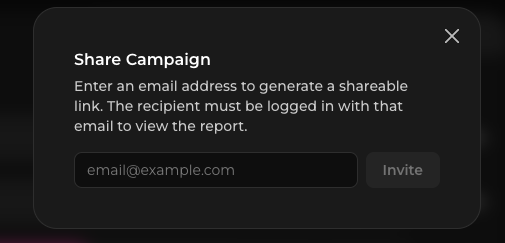
You can share campaign performance while your campaign is still running using Jestr's Share functionality.
This creates a shareable view of your campaign, allowing clients, publishers, team members, or other stakeholders to follow performance without needing access to your studio account.
Because the shared view reflects the campaign as it progresses, it's particularly useful for keeping stakeholders updated without repeatedly putting together manual reports.
Access your final campaign reports
Once your campaign has ended, you'll see a reporting bar at the top of your campaign overview with quick access to your final reporting and export options.
From here, you can:
- Create a Campaign Recap
- Download a PDF Campaign Report
- Export your campaign data as a CSV
This keeps everything you may need after a campaign in one place.

Create a Campaign Recap
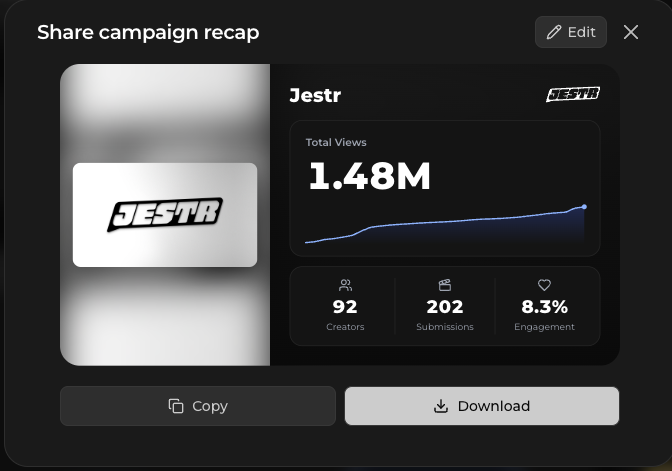
Campaign Recaps give you an easy way to showcase and share the results of a successful Jestr campaign.
Jestr turns your campaign performance into a polished, shareable graphic highlighting the results you choose to include.
You can customize which campaign information appears in the recap, giving you control over what you want to share publicly.
This can be useful for celebrating a campaign with your community, sharing results on social media, highlighting a successful launch, or simply giving your team a visual snapshot of what the campaign accomplished.
Download a campaign report
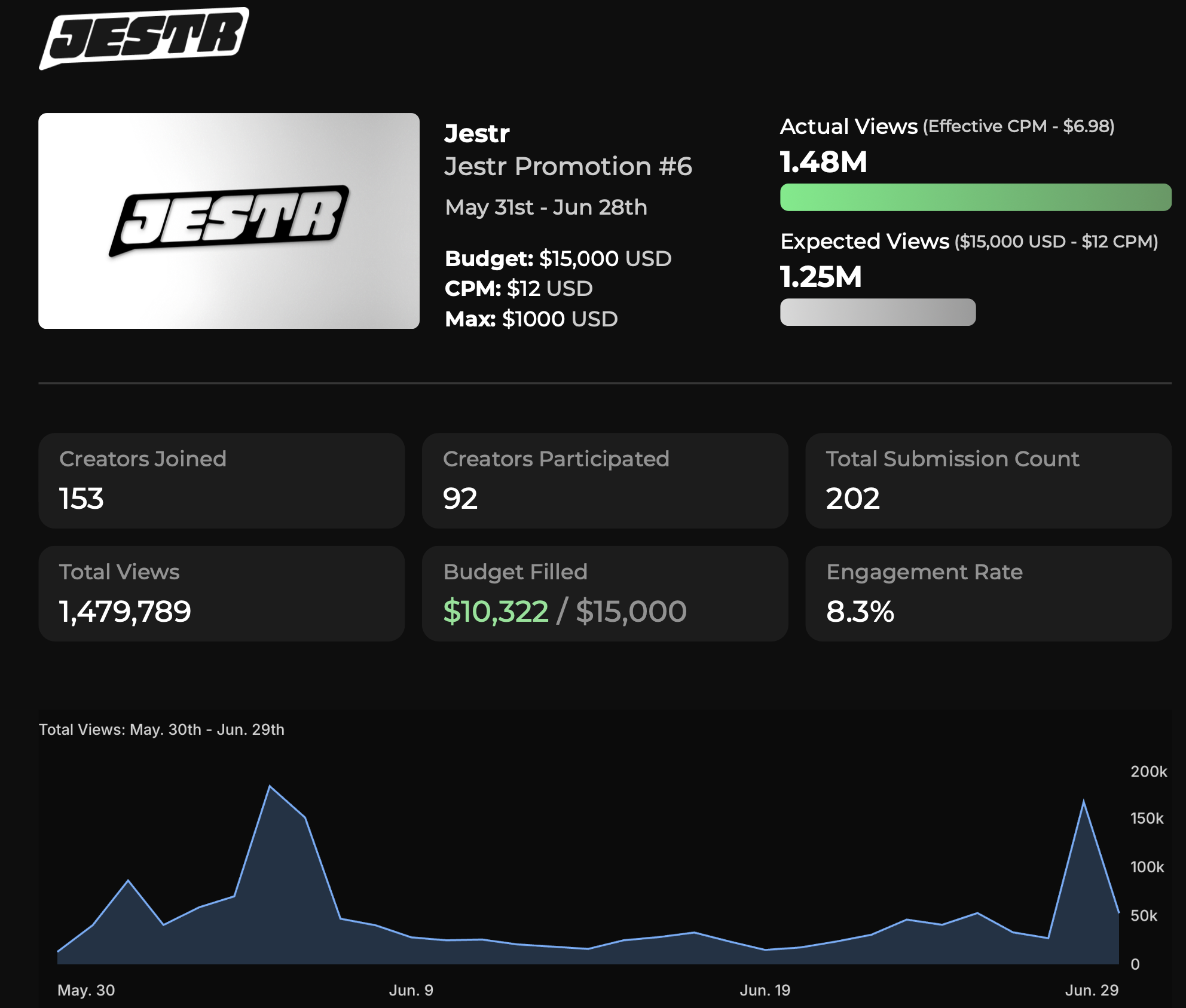
Once your campaign has ended, you can download a PDF campaign report summarizing its performance.
The report packages your campaign results into a format that's easy to save, present, or share with clients and other stakeholders.
Standard & Safe reports
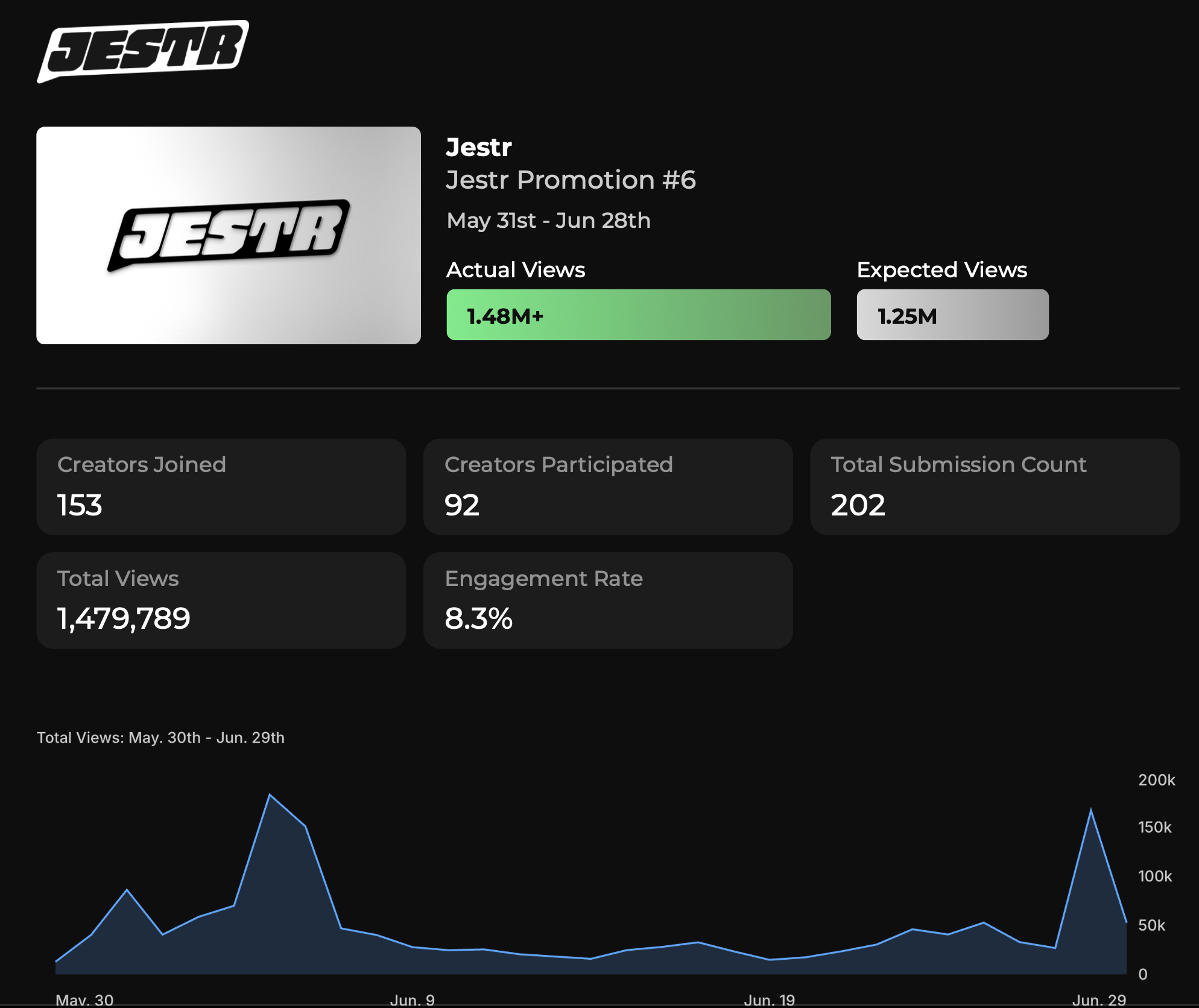
When generating a PDF report, you can choose between two versions:
- Standard Report — includes campaign performance alongside financial information.
- Safe Report — hides financial information while retaining the rest of the campaign results.
The Safe Report is useful when you want to share campaign performance with someone who doesn't need visibility into your campaign spend, creator earnings, or other sensitive financial information.
For example, an agency or publisher may use the standard report internally while sending the Safe Report to a partner or stakeholder who only needs to see campaign performance.
Export campaign data as a CSV
For more detailed analysis, you can export your campaign data as a CSV.
The CSV is available alongside your other reporting options after the campaign ends, and can also be accessed separately from the Submissions tab.
Unlike the PDF report, which is designed to provide an easy-to-read summary, the CSV gives you a granular breakdown of campaign performance, including data for individual creators.
This is useful when you want to:
- Perform your own campaign analysis
- Work with creator-level data
- Build custom reports or dashboards
- Combine Jestr data with other marketing or performance data
- Keep campaign data for your own records

Which option should I use?
As a general rule:
Share your campaign when someone needs to follow results while the campaign is still running.
Create a Campaign Recap when you want a visual, shareable way to highlight the results of a completed campaign.
Download a PDF report when you want a polished, more comprehensive summary that can be presented or shared with stakeholders.
Export a CSV when you need the most granular campaign and creator data for your own analysis.
If financial information shouldn't be included in a shared PDF, use the Safe Report instead.
Your campaign is complete
Once your campaign has ended and reporting has been finalized, your results remain available from your Jestr studio dashboard.
You can return to previous campaigns at any time to review their performance or access available reports and exports.
Learn more about how Jestr works
That covers the full campaign workflow — from setting up your game and launching a campaign to managing creators and reporting on the results.
The next section of our documentation, Core Concepts, takes a deeper look at the systems behind Jestr. You'll find detailed guides covering topics like campaign timing, creator types, CPM and rewards, submissions, bonus batches, campaign visibility, keys, guidelines, and sponsorship disclosure.
You don't need to read these pages in order. Use them as a reference whenever you want to better understand a specific part of how Jestr campaigns work.