Notifications
Jestr keeps you updated on important campaign activity so you don't need to constantly monitor your studio dashboard.
Notifications can be delivered in-platform and by email, helping your team stay on top of anything that requires attention while a campaign is running.
Campaign notifications
Throughout a campaign, Jestr can notify you about important activity such as:
- New video submissions
- Creator requests, including key and bonus batch requests
- Campaign budget updates
- Keys running low or running out
- Flags and creator appeals
- Other important campaign updates
This allows your team to keep track of campaign activity and respond when necessary without needing to regularly check every active campaign.

Managing notification preferences
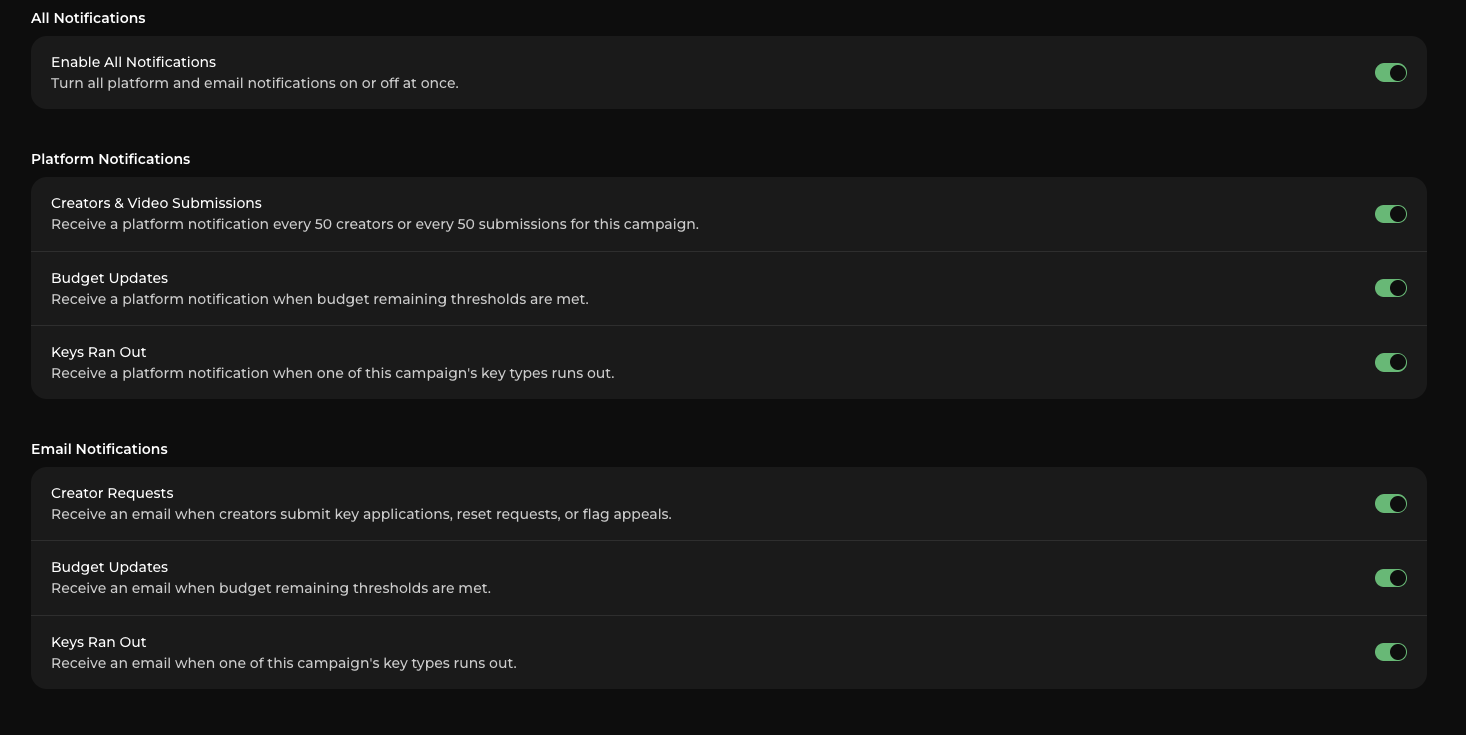
You can customize which notifications your team receives from your studio settings.
Notification preferences are granular, so you can choose the types of updates that are useful to your team while disabling those you don't need.
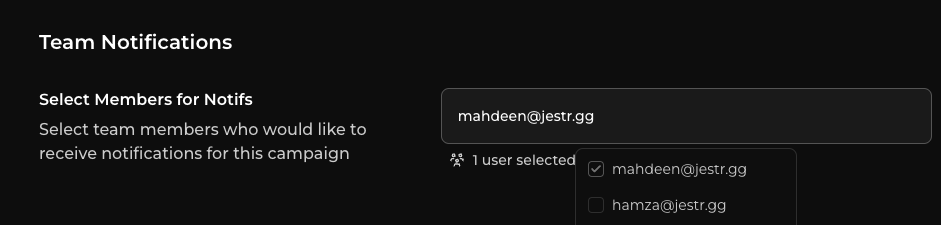
Choose who gets notified
Notification preferences can also be configured for different team members.
For example, the person managing creators may want to receive notifications about new submissions and creator requests, while someone responsible for campaign spend may only need important budget updates.
This is especially useful for studios managing multiple campaigns or teams where different people are responsible for different parts of a campaign.
Staying on top of your campaign
You don't need to act on every notification. Many are simply there to keep you informed as your campaign progresses.
Notifications that require action — such as creator requests or appeals — can be handled directly from the Requests tab.
For more information, see Managing Creators and Creator Requests.
Next step: Reporting & Data
While notifications keep you informed about individual campaign events, your reporting dashboard gives you a broader view of how your campaign is performing.
Continue to Reporting & Data.