Creator Requests
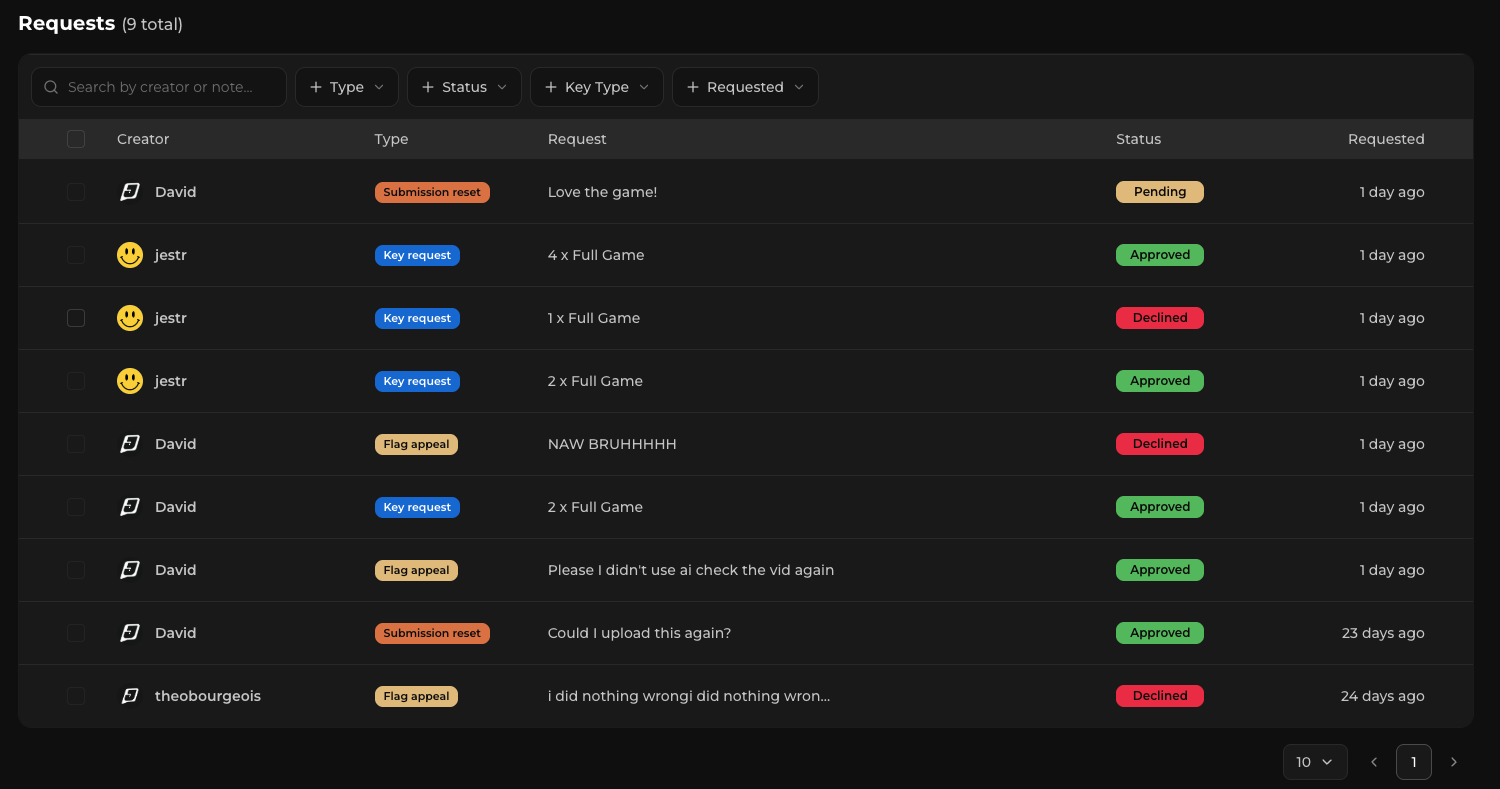
Creators participating in your campaign can send requests to your team when they need additional access or want to continue creating content.
Requests appear directly within your campaign dashboard under the Requests tab, and your team can be notified when a new request requires attention.
There are currently two main types of creator requests on Jestr: key requests and bonus batch requests.
Reviewing requests
When a creator submits a request, you'll be able to see who submitted it along with the details of their request.
Before approving or denying a request, you can visit the creator's profile and review their existing campaign activity to help inform your decision.
Creator requests are always optional — you're never required to approve a request simply because a creator submitted one.
Key requests
Creators can request a game key when they need access to your game or need an additional key.
You might receive a key request when:
- Your campaign uses manual key distribution
- Your campaign has run out of automatically distributed keys
- A creator wants an additional key, such as one for a giveaway or community member
You can review the request and decide whether you'd like to provide the creator with a key.
For more information on setting up key types, automatic and manual distribution, and managing key inventory, see Keys & Key Requests.
Bonus batch requests
Creators who want to continue making content for your campaign can request a bonus batch.
A bonus batch gives a creator another opportunity to create and earn from your campaign beyond their existing submission batch.
These requests can be particularly useful when a creator:
- Has performed well with their existing content
- Has additional ideas they want to explore
- Wants to experiment with another style of content
- Simply enjoys your game and wants to continue covering it
Before approving a bonus batch, consider the creator's existing content and performance alongside your remaining campaign budget.
For a full explanation of how additional batches, submission limits, and reward maximums work, see Bonus Batches.
Approving or denying a request
Once you've reviewed a request, you can choose to approve or deny it.
Approving a key request provides the requested access according to your key setup, while approving a bonus batch gives the creator an additional batch of submissions.
If a request doesn't make sense for your campaign, you can simply deny it.
There is no expectation that every creator request should be approved. Use the information available to you and what makes sense for your campaign when making a decision.
Stay on top of requests
You don't need to continually check your campaign for new requests.
Jestr can notify your team when a creator submits a request, and you can choose which team members should receive different campaign notifications.
For more information, see Notifications.
Next step: Campaign Announcements
Creator requests are one way creators can communicate what they need from your team. Sometimes, you'll need to communicate something to everyone participating in your campaign instead.
Continue to Campaign Announcements to learn how to send updates directly to participating creators.