Keys & Key Requests
If creators need access to your game, Jestr can manage the distribution of game keys directly through your campaigns.
You can create different Key Types, control how many keys each creator can receive, choose between automatic and manual distribution, upload key inventory, and respond to requests from creators who need additional access.
Most importantly, Key Types are tied to your game, not just an individual campaign. This allows Jestr to keep track of which creators have already received access across multiple campaigns for the same game.
Understanding Key Types
A Key Type defines a particular type of access you can provide to creators.
When creating one, you'll configure:
- Distribution Platform — where the key can be redeemed, such as Steam, PlayStation, Xbox, etc.
- Key Name — an internal name that helps you identify the key
- Key Type — what the key actually provides access to, such as the full game, demo, or playtest
- Max Per Creator — how many keys an individual creator can claim
- Key Distribution — whether keys are distributed automatically or require manual approval
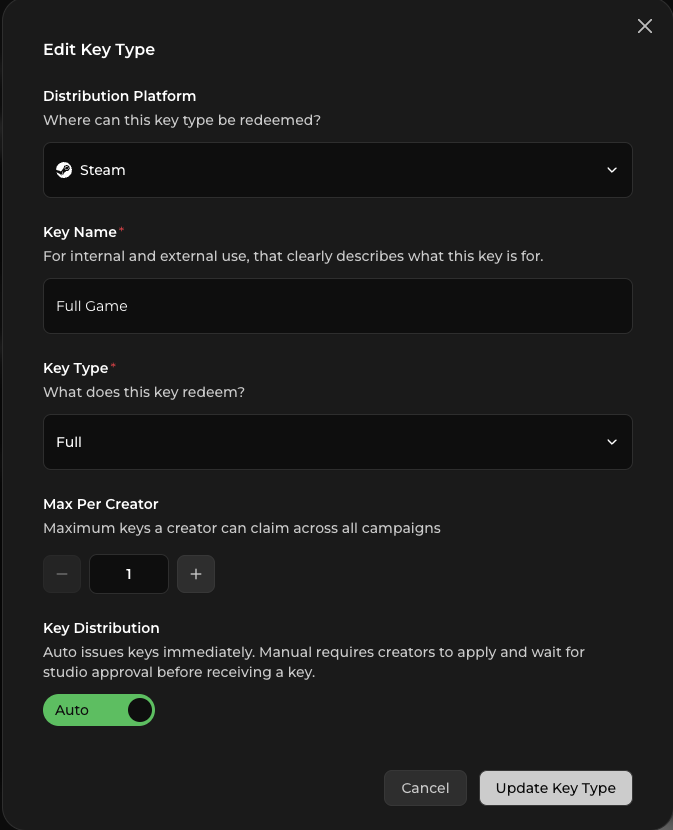
You can create Key Types while setting up your game or create them directly while configuring a campaign.
Why use different Key Types?
Different keys may provide creators with completely different forms of access.
For example, your game might have:
Steam — Private Playtest
Steam — Full Game
PlayStation 5 — Full Game
Keeping these separate allows Jestr to understand exactly what access a creator has already received and apply the correct claim limits.
This becomes especially important when you run multiple campaigns for the same game.
Key limits apply across campaigns
The Max Per Creator setting applies to that Key Type across campaigns for the game — not just the campaign where the creator originally claimed the key.
For example, imagine your Full Game — Steam Key Type allows:
Maximum per creator → 2 keys
You run a launch campaign in August and a creator claims both available keys.
In September, you run another campaign for a major update and use the same Key Type.
That creator can't automatically claim another two keys simply because it's a new campaign. They've already received their maximum of two keys for that Key Type.
This helps prevent the same creators from repeatedly claiming copies of a game they already own and helps preserve your inventory for creators who still need access.
If you genuinely need to provide a different form of access later — such as moving from a private playtest build to the full release — you can use a different Key Type.
Choosing a maximum per creator
For most single-player games, one key per creator is often enough.
However, think about how creators actually need to experience your game when choosing your limit.
For a co-op game, for example, we typically recommend providing at least two keys per creator so they can invite a friend and properly play or record the game together.
You may also want to provide additional keys when your campaign allows key giveaways.
For more information on giveaway requirements, see Campaign Guidelines.
Automatic vs. manual distribution
Key Types can use either automatic or manual distribution.
Automatic distribution
For most campaigns, we recommend automatic distribution.
Eligible creators can claim an available key immediately without waiting for your team to approve their request.
This removes friction and allows creators to start playing and creating as quickly as possible.
Jestr also discourages creators from unnecessarily claiming keys. A creator claiming a key is expected to have a genuine interest in participating, and key-claiming behaviour contributes to how creators build their reputation on the platform.
As a result, creators tend to be relatively conservative about the games they claim.
Manual distribution
Manual distribution requires creators to request a key and wait for your approval before receiving one.
This can make sense when keys are particularly limited or valuable.
For example, you might use manual distribution when:
- You have very limited key inventory
- Console keys are difficult to obtain
- The game has a high retail value
- You want to review creators individually before distributing access
- Access is particularly sensitive or restricted
Manual distribution introduces additional friction, so we generally recommend using it only when there's a meaningful reason to control access.
Adding keys
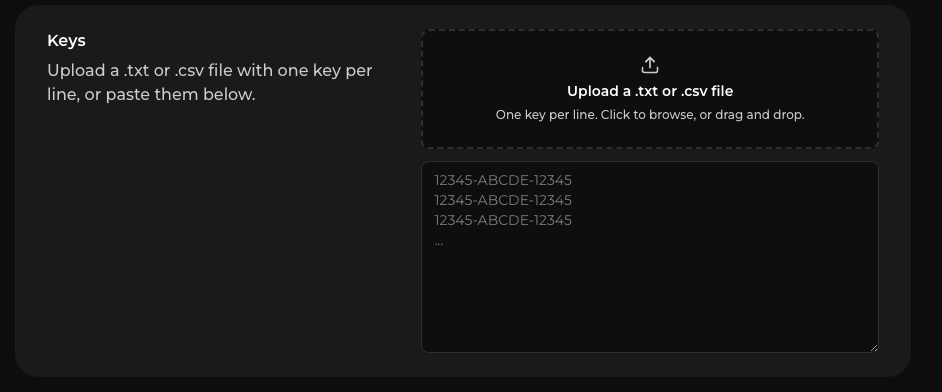
Once you've created a Key Type, you can add your available key inventory to Jestr.
Keys can be imported by:
- Uploading a .txt file
- Uploading a .csv file
- Copying and pasting keys directly into the key entry field
Jestr will then manage distribution from the available inventory based on your Key Type settings.
Claiming keys
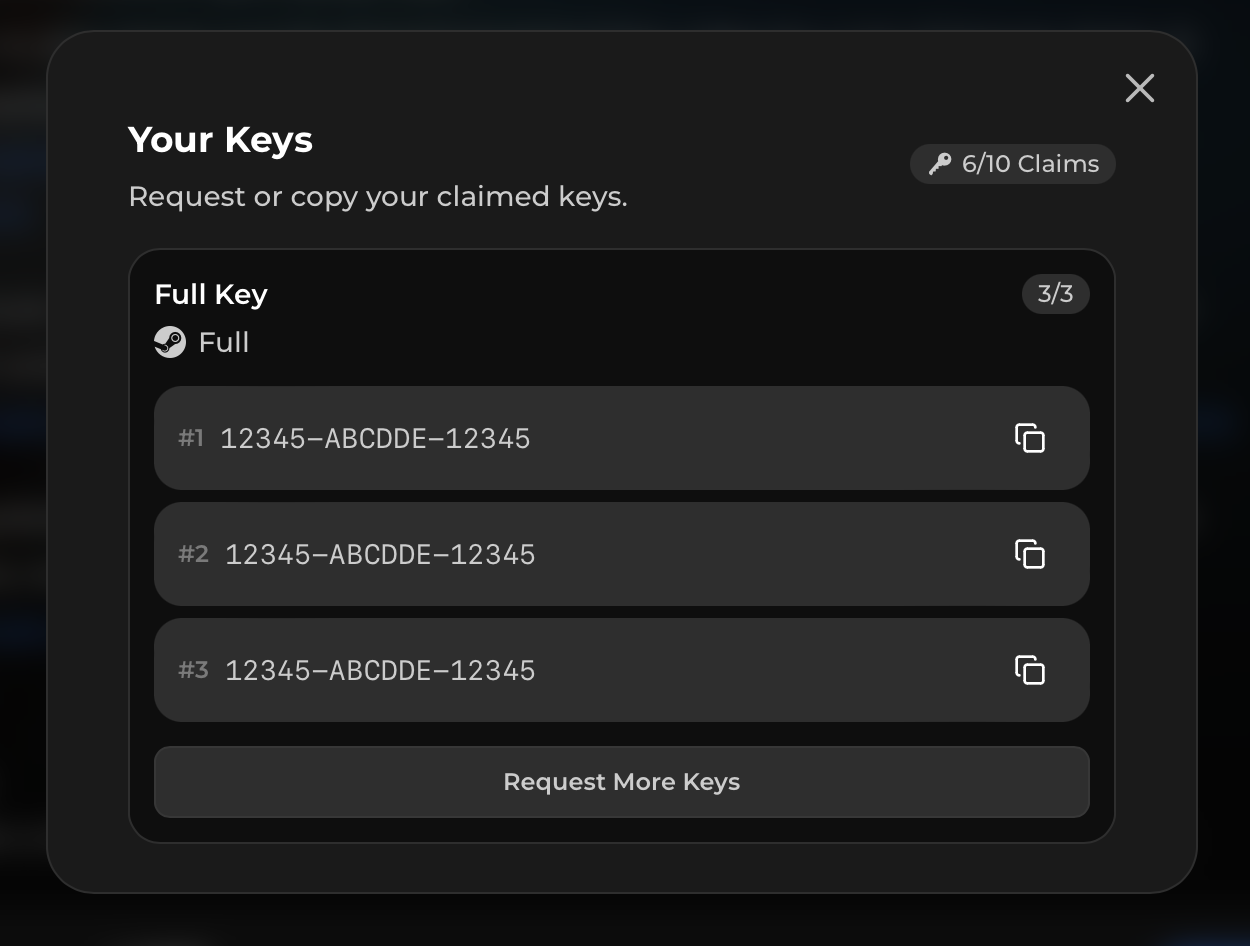
From the creator's perspective, claiming an automatically distributed key is designed to be quick.
If they're eligible for the Key Type and inventory is available, they can claim a key and begin accessing your game.
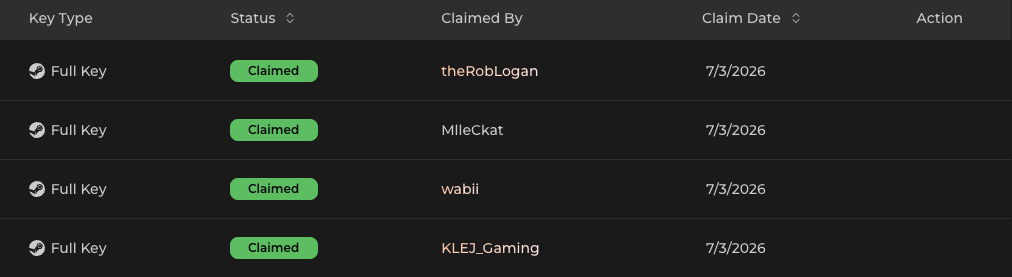
You can see which creators have claimed keys, which keys were distributed, and when each key was claimed from your campaign dashboard.
Key Requests
Sometimes a creator won't be able to immediately claim the access they need. In these situations, they can submit a Key Request.
Requests commonly happen when:
- Your available keys have run out
- The Key Type uses manual distribution
- A creator needs additional keys
- A creator wants another copy to play with a friend
- A creator wants additional keys for an approved community giveaway
You'll receive these requests through your campaign so your team can decide how to handle them.
Reviewing a Key Request
When reviewing a request, you can view the creator's profile and campaign information to help inform your decision.
You can then:
- Approve the request
- Deny the request
- Modify the requested quantity before approving it
For example, a creator might request 10 keys for a giveaway, but you may only be comfortable providing four.
You can change the request to 4 keys and approve that amount instead.
What happens when keys run out?
Jestr will notify your team when key inventory is running low or has been exhausted.
Creators who need access can continue submitting Key Requests while inventory is unavailable.
If the Key Type uses automatic distribution, adding new inventory will automatically begin fulfilling outstanding requests in the order they were received.
This means you don't need to manually return to every creator request after replenishing your inventory.
Still, we strongly recommend monitoring your key supply during an active campaign. Running out of keys can create unnecessary friction at exactly the moment creators are interested in making content for your game.
Managing your key inventory
Jestr provides several tools for keeping track of key distribution.
You can:
- See which creators claimed keys
- See when each key was claimed
- Search and filter by Key Type
- Search for a specific key
- Monitor remaining inventory
- Export unused keys
- Reuse available inventory in future campaigns
This makes it easier to keep track of large key inventories without maintaining a separate distribution spreadsheet.
Reusing keys across campaigns
If you run another campaign for the same game, you don't need to manually re-upload all of your remaining inventory.
Unused keys from a previous campaign can be imported directly into a later campaign for the same game.
Because Jestr also remembers creator claims at the Key Type level, the existing Max Per Creator rules continue to apply.
This allows you to reuse your remaining inventory while avoiding unnecessary duplicate key distribution to creators who already received access.
Make sure your keys and builds work
Before giving creators access, always verify that your keys redeem correctly and that the build they're accessing works as expected.
Broken keys, inaccessible builds, incorrect branches, or missing instructions create significant friction for creators and can delay content production — particularly around time-sensitive embargoes and launches.
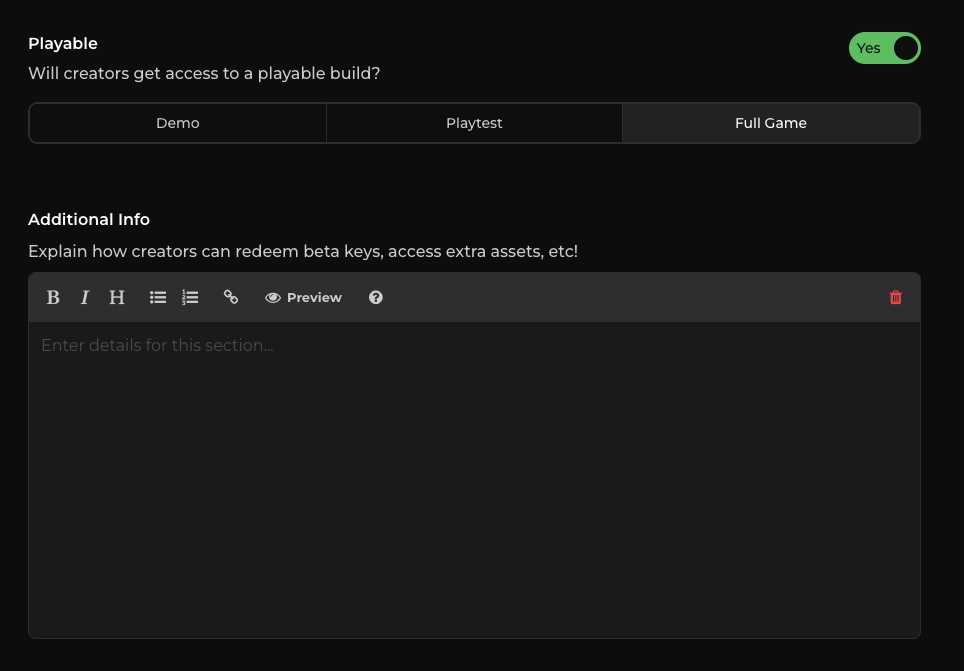
If your build requires additional steps, include those instructions upfront.
For example, a private Steam branch might require:
- A specific beta branch
- A branch password
- Installation instructions
- Additional login information
- Other information needed to access the correct build
You can provide these instructions through the campaign's Additional Information under Creator Resources.
The easier it is for creators to get from claiming a key → playing your game, the more likely they are to actually create content.
Key distribution should be frictionless
For most campaigns, the goal is simple: give interested creators the access they need with as little friction as possible while protecting your key inventory.
Automatic distribution, sufficient inventory, sensible creator limits, and clear build instructions can eliminate much of the unnecessary back-and-forth that otherwise comes with creator key distribution.
Use manual approval when access genuinely needs to be controlled — not simply because the option exists.
Next: Sponsorship Disclosure
Once creators have access and begin publishing content, sponsored posts need to be properly disclosed.
Continue to Sponsorship Disclosure to understand Jestr's disclosure requirements and what creators are expected to include when posting campaign content.